How to Choose the Right Domain or Subdomain for Your School Website in VIDYAOne
Setting your website address is an important step in making your school website live. In VIDYAOne, you can either use a free subdomain or connect your own custom domain for a more professional look.
What is a Domain and Subdomain?
Domain: Your main website address (example: yourschool.com)
Subdomain: A free website address provided by VIDYAOne (example: yourschool.edusite.in)
Option 1: Use Free Subdomain (Quick Setup)
In the onboarding page, you can create a free subdomain.
Enter your preferred name
It will be combined with .edusite.in
Example: yourschool.edusite.in
Click on Save Subdomain
Use your institute name (short and clear)
You can combine:
School name
Trust name
Location (city/area)
Avoid long or complicated names
This option is best if you want to launch your website quickly.
Option 2: Use Custom Domain (Recommended)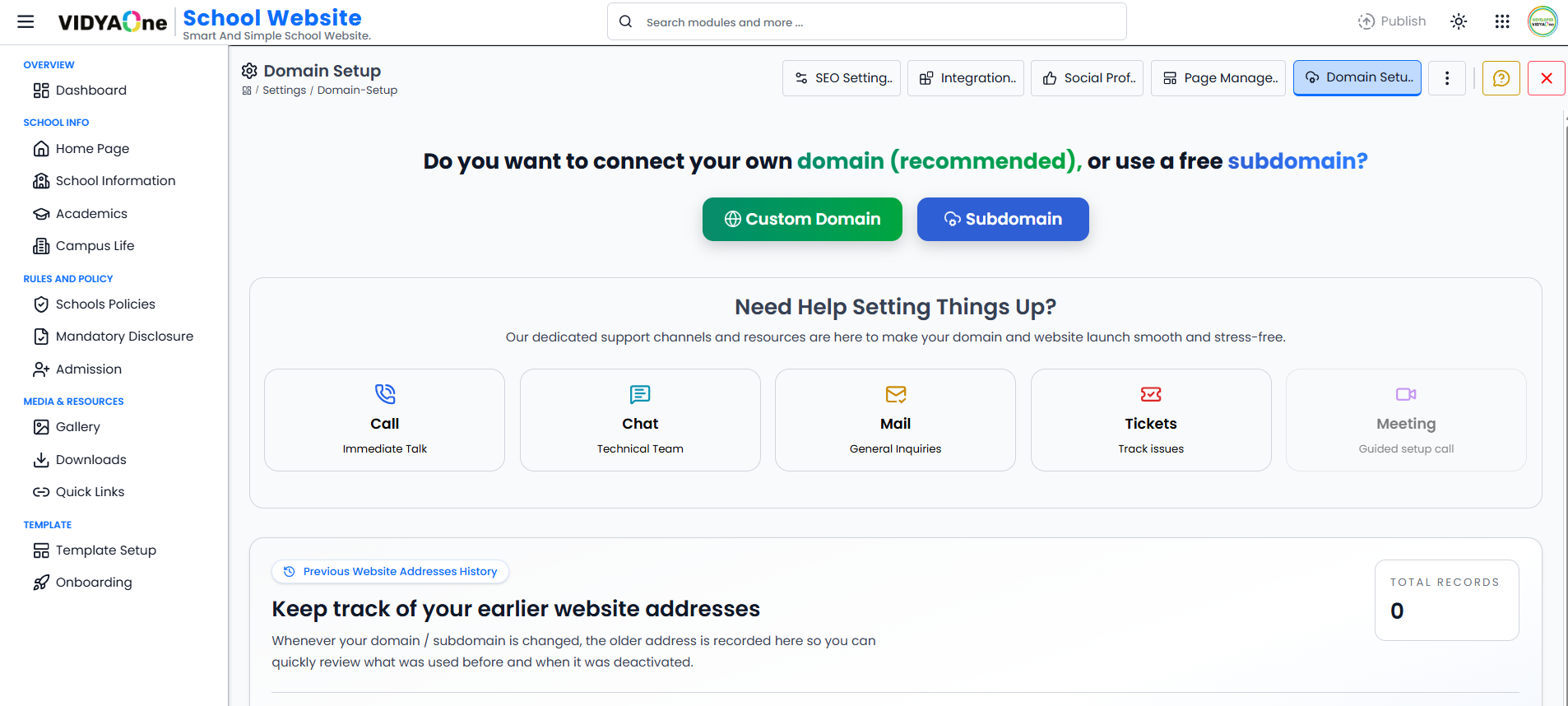 Custom Domain Configuration - VIDYAOne School Website
For a more professional and trusted look, you can use your own domain.
Click on Go to Custom Domain Setup
You will be redirected to the Domain Setup page
On the Domain Setup page, you will see:
Step 1: Choose Domain Type
Use custom domain with school name (recommended)
Or continue with free subdomain
Step 2: Do You Already Have a Domain?
If YES (You already have a domain)
Enter your domain name (example: yourschool.com)
Click on Connect Custom Domain
Complete the DNS settings
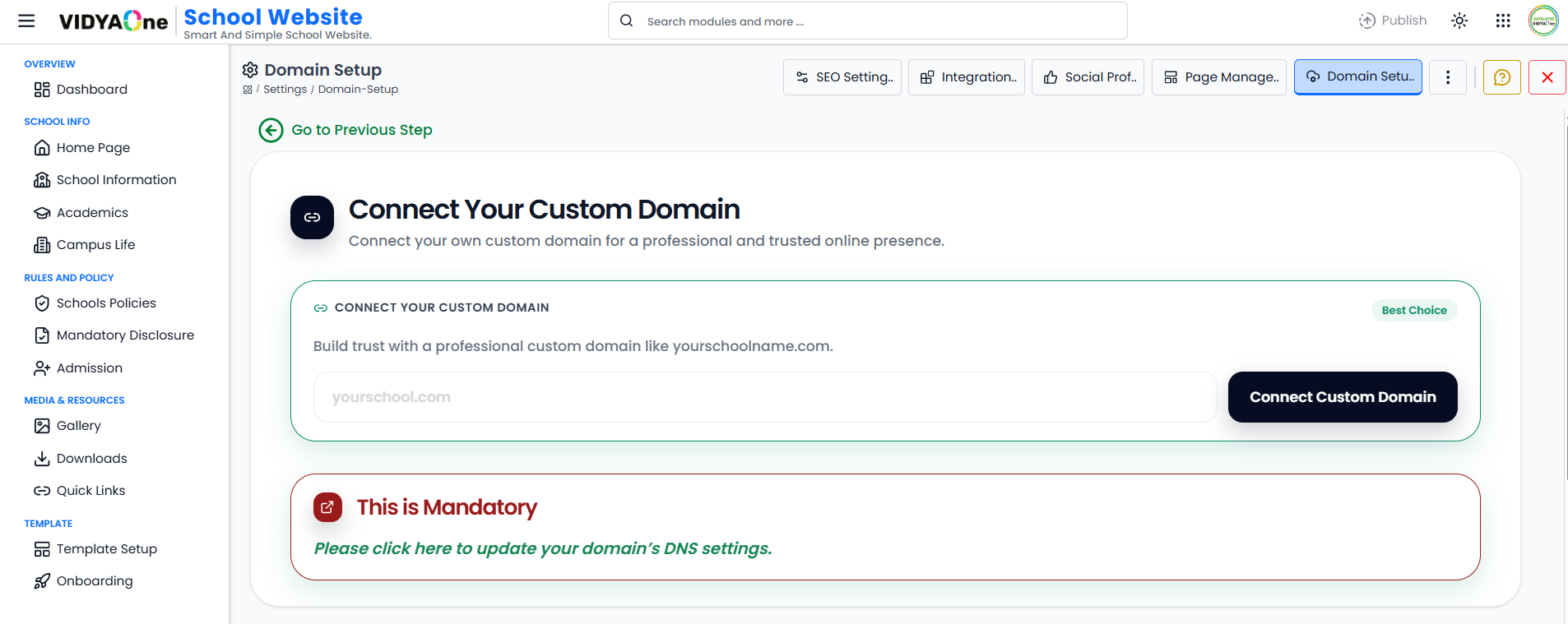 Owned Domain Setup - VIDYOne School Website
If NO (You don’t have a domain)
Get Help from VIDYAOne (If eligible)
- Search domain names using providers like:
- GoDaddy
- Namecheap
- Select 2–3 domain name options
- Share your choices with the VIDYAOne team
- The team will help you purchase and connect the domain
Important Tips
Always choose a simple and easy-to-remember domain name
Prefer your institute name as the domain
Avoid special characters and long words
Custom domain builds more trust than subdomain
Publish Your Website
After setting your domain or subdomain and enabling the required pages, the final step is to publish your website.
Steps:
Click on the Publish button
Wait for 5–10 minutes for the changes to process
Open your website using your selected domain or subdomain
Your website will now be live with:
Your selected template
Enabled pages
Updated content
You can revisit settings anytime to make changes and republish if needed.